Vibecoding a product from idea to production in 7 days, a full trip report

Last week I wrote a review of AI Agents current state, and it turned out to be quite popular! Thanks for the great feedback and kind words everyone.

At the same time, I had started building my first macOs app. During a busy week with a lot of other things going on between work, a concert, and a few dinners, I managed to get the app from initial idea to production in 7 days.
In the process I re-connected to the frontier of Building with AI1. I leveled up my testing game so AI can verify its own work, I vibecoded a landingpage via WhatsApp while lying in the bathtub, and I spent 7 hours on a filebrowser…(yeah..).
So I decided to write a trip report, because I miss that online to be honest. Builders I look up to like Peter Steinberger (from Clawdbot Moltbot Openclaw), and Andrej Karpathy share their workflows, but they don’t share the nitty gritty and never go into details on the ups and downs.

So I will do that here, filling the same gap I think I filled with last week’s post. Much of the feedback was along the lines of “thanks for sharing the real, honest notes from the street”. So here we go:
My setup
Here is my setup:
Claude Code + (OpenAI) Codex.
Clawd on my Mac Mini for async work, mobile vibecoding and as orchestrator for loops.
Workflows:
In this pre-dev phase, I commit everything to main. No branches, no worktrees. It’s pointless, we’re not in production yet. Just keep the architecture clean and be smart about parallel work.
Multiple agents running almost at all times: 2-4 researching and planning upcoming features, 2 features in parallel with Clawd orchestrating and chatting with me about progress. In the evenings me working sync across two machines with 8-10 agents going at the same time. THE AGENTS MUST NEVER SLEEEEEEP!
Agents write short notes to LEARNINGS.md where I can review what they thought was important or strange about their runs.
Chatrooms: When planning a feature, Clawd creates a FEATURE-CHATROOM.md where Clawd, Claude Code, and Codex take turns commenting on each other’s plan. It’s like an email thread between the AIs2. ‘We’ work together in the chatroom to talk about a feature and iterate on a final plan. After that it’s just ‘build’ and the agents are off.
With this setup I can do some pretty fun things. For example, here I was lying in bath and working on the landing page via WhatsApp. Clawd would make the changes and then send me a screenshot back.
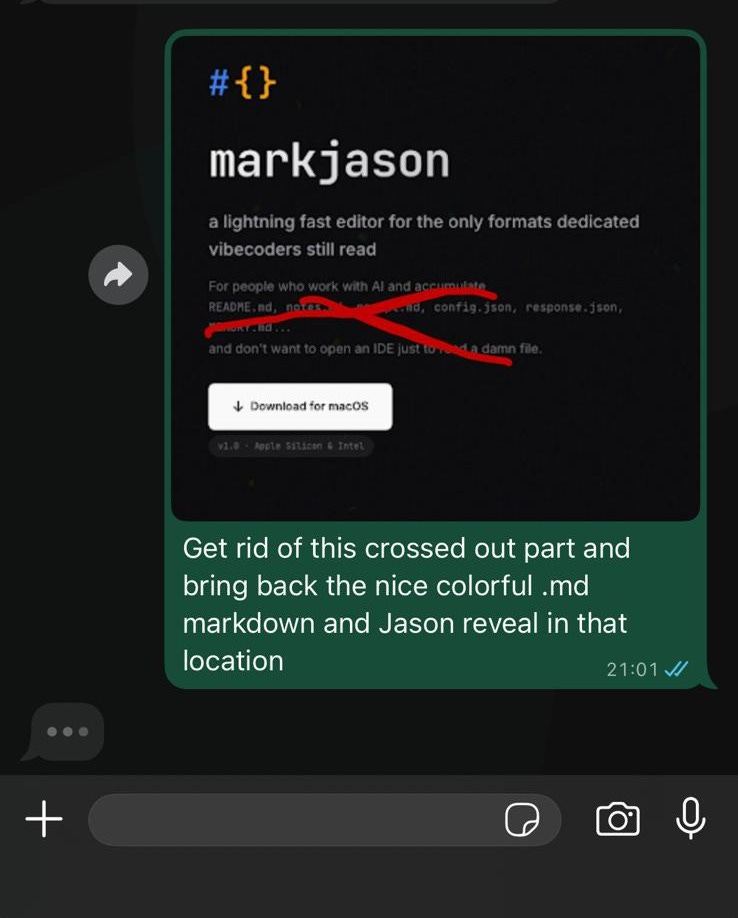
At the same time, several Codexes and Claudes were busy in the main codebase, also controlled from Whatsapp. This enabled me to get into a nice workflow that allowed me to crank this app out in a week while working full time, and going to a concert and other social events:
Wake-up: Check whatsapp for Clawd’s updates. When I get the chance, pull the latest code and run the app. Read files. Update the plans and TODO.md and kick off the next series of tasks
Getting to the office: Quick check of progress, tell agents to continue
Lunch: Quickly pull the code and run the app. Update plans and TODO.md, kick off agents again
At night: The real work begins. Pull code, test, reconcile, delete, archive plans, read LEARNINGS.md, update TODO.md and then start working at a faster pace. I sit at my desk with both the Mac Mini and my Laptop open, trying to power through as much work as possible, as well as navigate some of the hours long rabbit holes that still plague vibecoding.
Models
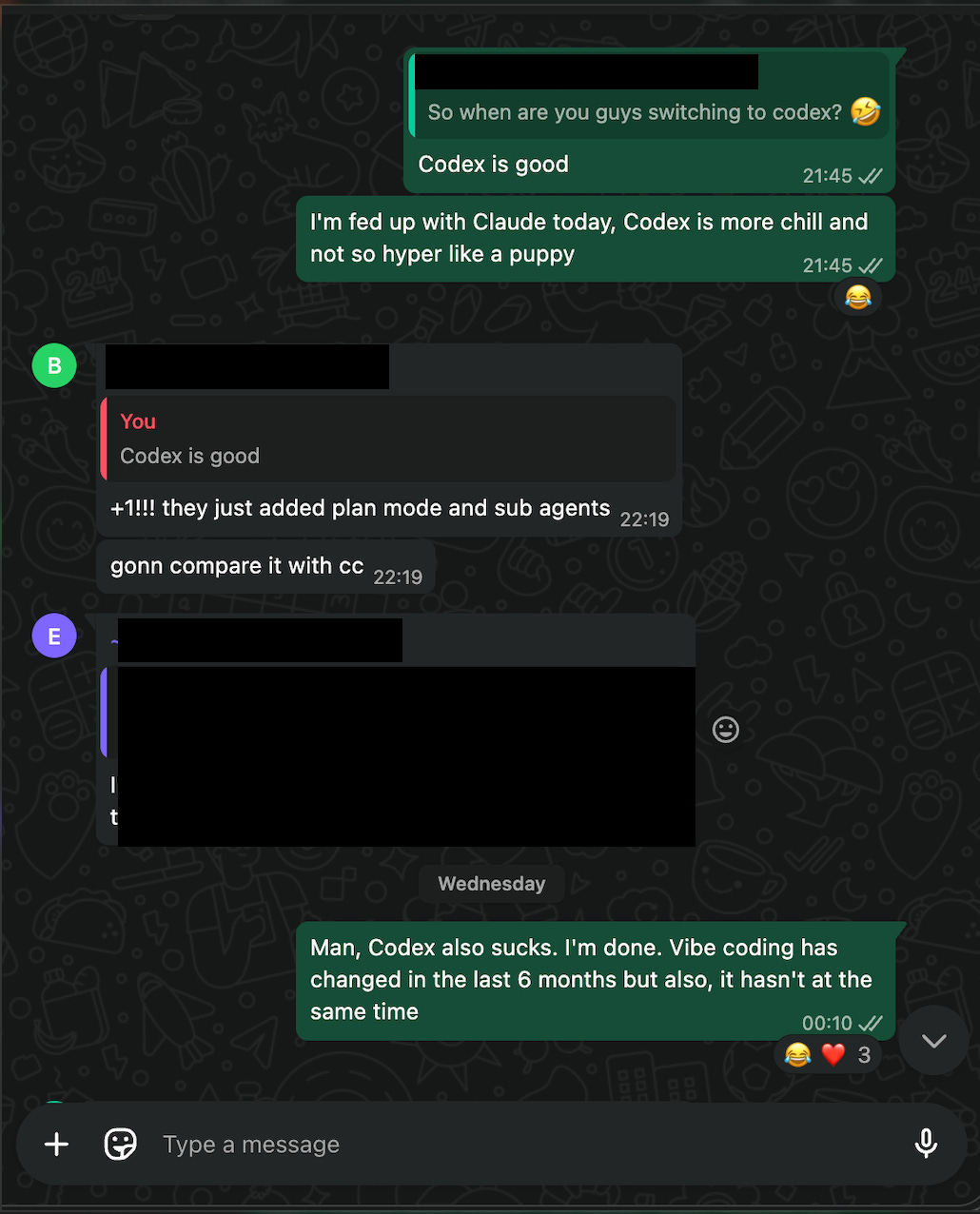
Apart from learning all the nuances of coding with Claude Opus 4.5, this project really got me into OpenAI’s gpt-5.2-codex (high) model. As many folks have said it is on-par, if not better than Claude Opus 4.5 at coding. Most importantly perhaps, it is different. Where Claude has far superior vibes, and is way more fun to work with, it is like an overeager puppy. It will read 3 files and then start (over)confidently coding away. It will then declare happily that “The feature is done and the code is 100% production ready!”
Of course, you try to run the app and it doesn’t work….
Codex is much more chill and will work for much longer, reading many more files across the code base to form a full view before it answers. As a result, it can figure out hard problems better. It may be a little slower, but who cares! We’re running a whole bunch of them in parallel so I am going to be the bottleneck anyway.
I don’t use any other model than these two. These models are expensive, but they are the best, and the gap with the runner-ups is large.
So, what did I build
For this project, I wrote no code. With Magicdoor.ai, I wrote 5% of the code, most of it over a year ago. Now, nothing, nada. This is the big change over the past year. This the reason folks like Steinberger, Karpathy, and now, even Uncle Bob (agile, SOLID, clean code) are getting AI-pilled.
Because AI now writes all code and other AIs also reviews it, there is much less need to even open code files. The only code I’ve even seen for markjason are the snippets in the plan files, and when discussing with AI. But there are a couple of file types that you still need to open and edit as a vibecoder:
Markdown: where context, plans, learnings and rules are created and kept. This is basically the google drive or notion for working with AI Agents.
JSON: is a format to send data as text. Configuration files are often JSON, and they might contain secrets. If you’re being a good boy/girl you should put secrets like API keys into those files manually, so you don’t send them to an AI company.
.ENV: is a format where you put real, serious secrets in a codebase. When you go and host on Vercel for example, you will need to copy/paste them into the interface because, again, you would not want to let an AI handle those secrets. Database read/write access is the most obvious example. On that particular one, I personally don’t fuck around and make sure AI doesn’t see it.
How do you open these files? In your IDE (like Cursor or VS Code), but those are super heavy apps that use 500MB to 1GB of RAM. In TextEdit? But that is nearly unworkable.
So I got the idea to make a new editor and reader, only for Markdown, JSON, and Env files, and to make it super fast, and with many small quality of life features I want to have. Then I had a great name idea: I decided to call it Mark Jason (that’s how you pronounce JSON). This is ultra niche. I’ve been using it while I built it, discovering bugs and coming up with more feature ideas as I go.
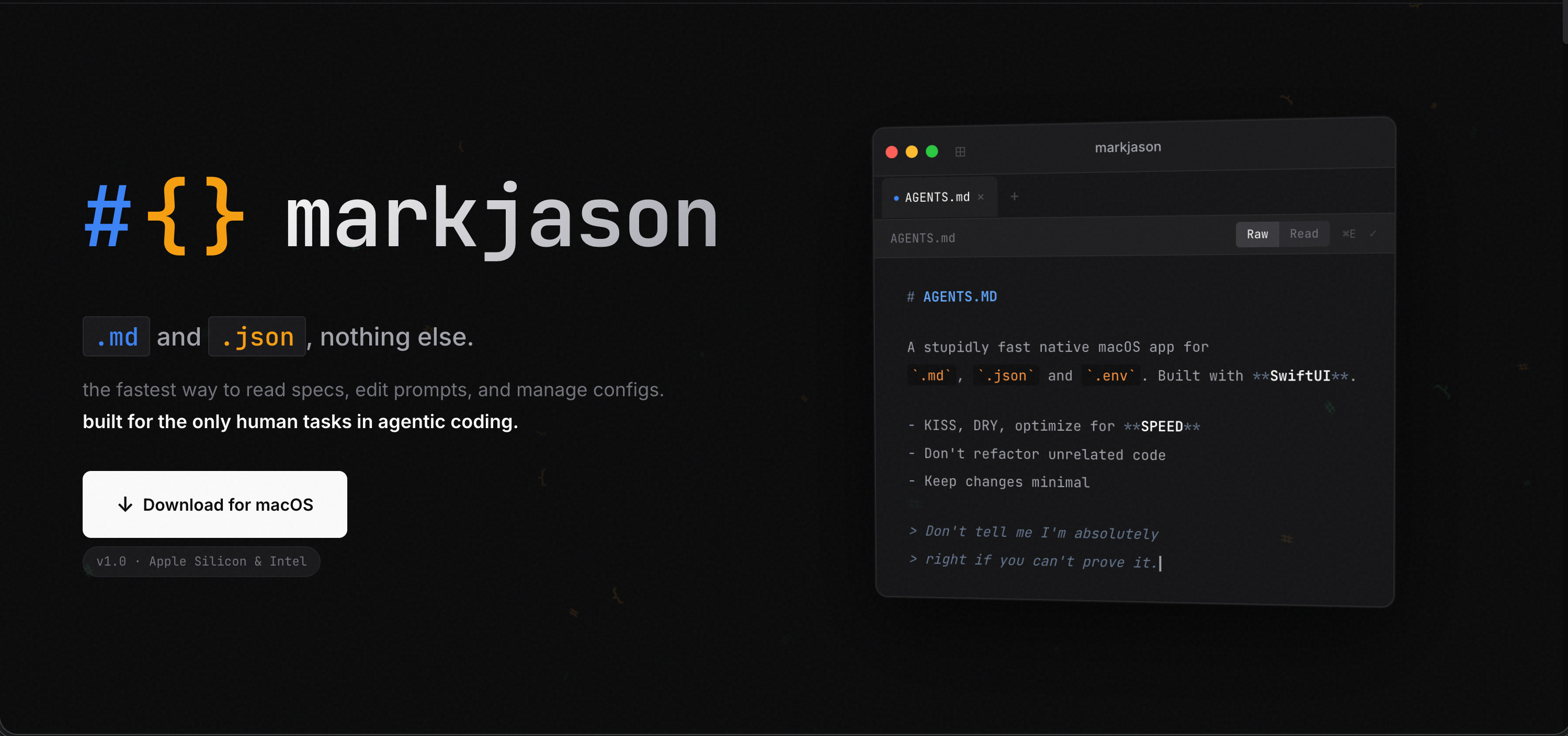
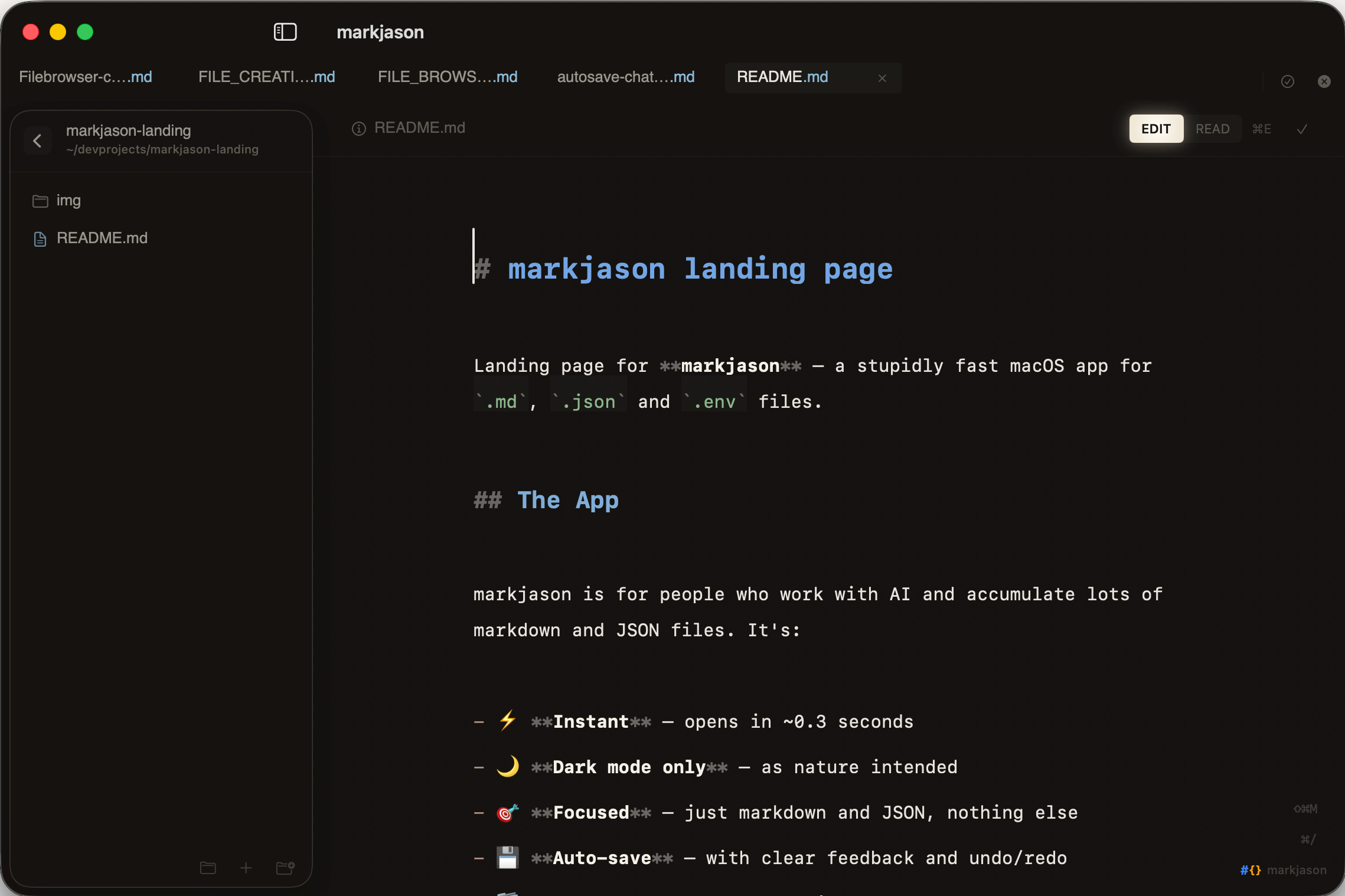
It was fun to build, I’ve always wanted to build something like this. Useful, focused, fast, keyboard oriented. I also spend quite some time on the UI. I’m quite happy with it so far. Even in raw markdown mode, the headers appear larger making it way easier to scan a file compared to the VS Code experience.
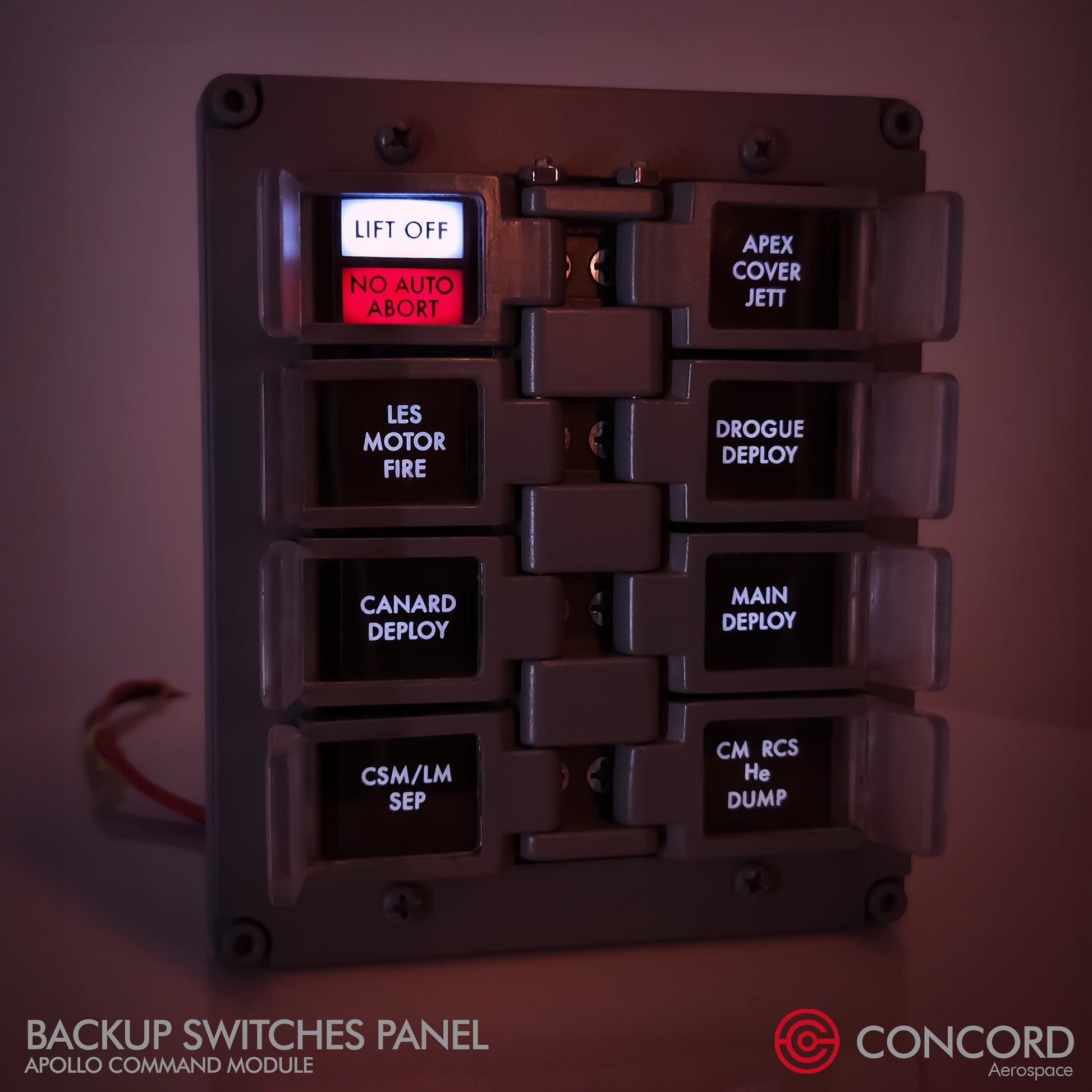
Indicators like the ‘EDIT/READ’ toggle are inspired by these kinds of indicators from the Apollo space ship.
The app is super fast, booting up in well under a second and with most interactions happening nearly instantly. Ah yeah, and it runs at under 100MB Ram use with a couple of tabs open.
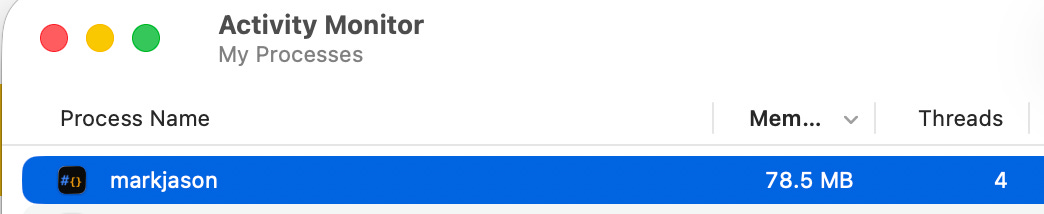
That’s like 1/10th of VS Code. So if you want to run 10-20 Claude Code and Codex terminals at the same time, this editor is not going to stop you.
Before I go into the building experience, here is the link: https://markjason.sh
Challenges for AI Coding
This app’s reason to exist is that other editors are slow and clunky. So that means, this one has to be fast and delightful. Based on my experience with vibecoding3, it is easy to build a clunky app, but hard to build a fast and delightful one.
In addition to that, I have never built a native app.
Hey! But this is just a small macOs App! No database, No APIs, only one screen. How hard can it be? Right???
The good
Oh man, it’s fun. I’ve been enjoying the impeccable vibes of Claude as a coding buddy since Sonnet 3.5 and in that sense Opus 4.5 is the best version I’ve used since 3.5. It is. just. FUN.

And addictive. There is a crazy “just one more prompt” feeling. With Clawd putting that power into my phone via WhatsApp it just became so much better. The best example of this is undoubtedly the landing page. I started this from WhatsApp with: “Let’s start on a landingpage, let’s do it in a separate repo. Can you knock out a first draft?”
Because Clawd sits on top of the project, it knows what markjason is all about, so it used the plans and what it knew from our conversations to absolutely NAIL the landing page. Especially the logo was a great find. I was genuinely mind-blown when I opened the page. Then Clawd and I iterated on it via WhatsApp with me just annotating screenshots and sending it over, and Clawd then making changes and sending a screenshot back. It was awesome, and felt just like working with a person.
Gastown, beads and other complicated orchestration charades: I am now 99.99% sure that it’s all bullshit
I think there is a type of person who just really likes to make things as complicated as possible. Maybe it works for them, but it doesn’t work for me. For one, I like things simple. But also, it’s just not how I build stuff. I have to start and talk to the model to home in on what the app should be. Having agents run for a long time is also not an issue. Vanilla Claude Code and Codex are great at running long plans. The real secret here is to give them a way to verify their own work. If you tell them to write tests, and help them sometimes to find a way to test stuff (not easy for UI in a macOs app), they will run for very long and the end-result will just work.
Even worktrees, which is a popular way to work in parallel on one code base solve a problem I haven’t had so far. Maybe I have too small a brain, but I can’t keep track of context on more than 5 or so parallel features anyway. And I’ve found it pretty easy, even in such a small app, to isolate agents. Only once, did one agent comment out the work in progress from another one because “it was legacy code from an earlier incomplete feature” 😂.
There was no problem having for example:
one agent fixing UI in the toolbar,
another one improving performance on markdown rendering,
one more operating on the sidebar,
another one on the JSON rendering part,
and then one more on the help menu for keyboard shortcuts.
At the same time I’ll have another one researching options to make the app boot up faster.
That’s 6 agents working on the same codebase at the same time, all in one git checkout on the main branch.
From my experience building Magicdoor.ai I know the risk of doing this. If one of these destroys things so badly that reverting is the only way ‘forward’, that might take a while to untangle. But while building markjason, I have only reverted once to an earlier commit. And the AI agents are teaching me advanced Git features I didn’t know existed, like checking out just one file from an earlier commit to undo just the changes there.
On this, I’m pretty sure this is very unorthodox and real engineers are shaking their head right now. Listening to this great interview with Peter Steinberger made me feel validated on this, though. On the other hand, some people who like/built Gastown claim to be running 20-30 agents at the same time. So maybe I’m just still posting rookie numbers topping out at 10-12 at peak time.
The bad / difficult
I started vibecoding in August 2024, so I’ve seen this tech evolve for almost as long as it exists. In 18 months of vibecoding, despite CRAZY progress in both the models and the tooling, the nature of working with LLMs on code has not fundamentally changed. Core, seemingly simple things just didn’t work in one shot. Some even took many, many shots.
Write Everything Twice (WET)
There is a development concept that I like, even from my days building Excel models: Don’t Repeat Yourself (DRY). Yeah, so AI likes to repeat itself a lot. When I started tidying things up and putting the finishing touches on the UI, I noticed different hover effects, so I asked Claude to take stock: There were 14 DIFFERENT ONES!
Various buttons and toolbars that are identical across markdown and JSON mode were also duplicated fully, of course with some minor differences sprinkled in. There is an argument to be made that this doesn’t matter. Who cares if code is duplicated? Well, for (1) it just looks sloppy to have 14 different hover effects, inconsistent spacing, etc, and (2) if you want to change something in the future, even AI will struggle to find all the different places where it needs to be changed
I’m on the fence on which approach is better. With my last Next.JS project, I took care of this upfront by creating a very clear design system, and making it clear in my AGENTS.md to “BE A DRY MAXIMALIST”. This time I didn’t and let it run wild, then I DRY’ed everything up at the end. I think both approaches work, but on a bigger project I would probably try to stay DRY throughout.
Sorry, you built auto-save HOW?
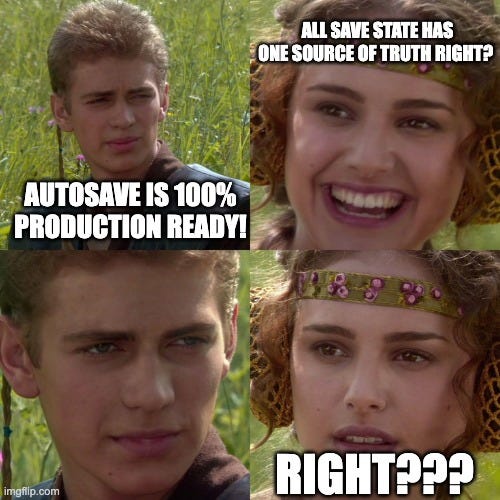
Imagine designing an auto-save feature for a document editor that needs to have a UI component showing if the doc is saved, a warning when closing, and an ability to toggle autosave on/off. Code aside, just thinking about the logic, how would you do it?
Keep the last saved content in memory: let’s call it OriginalText4
Compare it with whatever is currently in the editor
If they are different, set a state variable HasUnsavedContent = true
Use the same single-source of truth for everything that needs it
Well… Another way would be to have the UI element that tells the user if a doc is saved keep its own state, and then have the tabbar keep another one, and then… wait….. What actually triggers a save? Oh right, the UI component can do that, but if does it won’t tell the tabbar, obviously…. That’s what Codex and Claude built. As a result it was possible for the UI to tell the user that changes were saved, even though they weren’t. This is obviously a cardinal sin. I was actually pretty disappointed. This was truly crap work. It only took 10 minutes to rebuild the system in the right way, but I just don’t feel AI should have gotten this so wrong….
The hard part is done correctly but the easy part has some minor additions left
This was what Codex told me about adding a new UI indicator for copying a document as an image. It took another two hours and 50 prompts to get the ‘easy part’ done. Apparently there are some gotchas with state management in SWIFT that manifest in a similar way as in React. And then to fix that led to one Swift file exceeding 1,000 lines which apparently isn’t allowed (or at least wouldn’t build for me). This long file in itself came as a surprise to me and made me tell AI to extract some stuff out of that view to utilities. In any case, it was annoying that this took hours.
A file browser
Saving the worst for last. What document editor doesn’t have a way to browse files and open them? After the first shot at the app from the initial plan, it was there. But there was a small bug: whenever the content in the file would change, any open folders would close in the tree view. After (no joke) 5 hours of trying to get Codex and Claude to fix this with no luck, I told them both in parallel to take a step back and figure out what’s really going on. I made a chatroom, and had them discuss. I didn’t settle until they agreed on everything and assured me this was THE WAY. Then I said: “ok, build!” and they worked for over an hour. After that, I started the app and…. it was completely unusable. Beachball spinning and freezing for every action. Codex said it could fix it and tried for another hour (and another 50(?) prompts). No improvement. I once again got fresh agents to look into it, and they gleefully reported that this implementation was fundamentally flawed. I felt so gaslit. Dejected, I went to bed. The next day during a run I thought about my options, and decided to pivot the sidebar entirely to just be about recent and ‘pinned’ items. Basically, current work. Much easier and ultimately, better UX too. But what a painful rabbit hole, and what a disappointing experience.
Closing thoughts
If I look back a year, or even 9 months, vibecoding has become way better. It’s more fun. The parallel work that is now possible really speeds things up. A year ago I would sometimes play guitar or watch YouTube videos while waiting for the agents to finish, but now I’m just working at full speed the whole time.
A major part of this is an evolution in my own skills to embrace tests. The secret really is to give AI a way to check its own work. If you can create a good plan and good tests, Codex is going to one-shot it and it will work, even if it takes an hour. But, as the file browser example shows, it might still be complete garbage. The autosave issue too was found in tests (albeit my manual tests). Had I told AI to write tests for autosave, I think it would not have made this mistake.
Don’t bother with complicated orchestration, unless you have already tried the simple approach and you have clarity on the problem you’re trying to solve. These orchestration setups just make everything more complicated without much benefit. It really is like this:
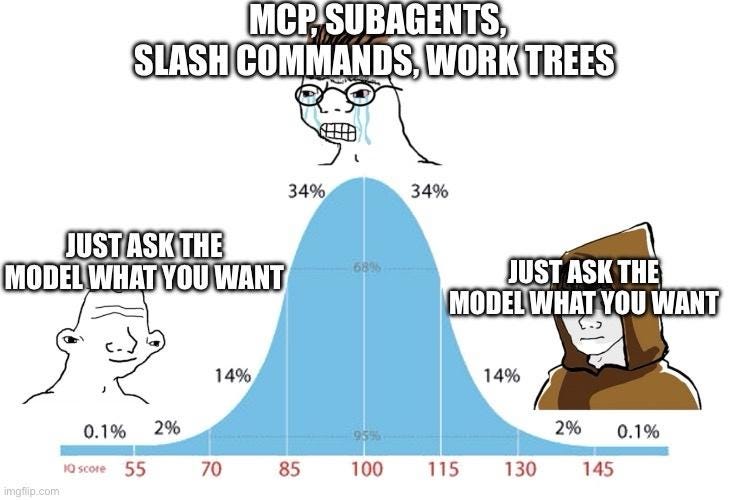
Although I have to say that worktrees are very popular, apparently also within Anthropic. I actually think that makes total sense if you’re working with other people on one codebase and will need to work in branches. But as a solo developer I really believe the default should be to just push everything to main if tests pass. Certainly before launch when it doesn’t matter if main is stable.
It really is still a bit of a leap from making a landing page or simple website to making a production app. The nature of vibecoding is still remarkably similar as 18 months ago. Architecturally the results are still shaky. The bigger your project becomes, and the more specific you are about what you want, the more crappy implementations and rabbit holes you’ll run into. It’s hard work to go from something that sort of works to getting it RIGHT. For markjason, the breakdown was something like:
0 - 50% (core features work) : 2 or 3 prompts
50% to 80% : ~200 prompts
80% - 99% : ~400 prompts
The second half is 300x as much work as the first half. And this is also just….a lot of prompts! The hard parts in this case were my high standards for performance and memory use, which just can’t be met with sloppy code, and the fact that a Mac App is a little harder to test end-to-end for AI since it has to be built and then run each time.
But it’s also notable what markjason does not have that notoriously breaks the back of AI coding: Database operations and integrations. When you start integrating with external APIs and storing data, opportunities for mistakes increase exponentially.
I strongly feel that 99% of the people going online to talk about how SaaS is dead and engineers are doomed have not done more than build something very simple and/or build it up to 50% completion.
Afterword: I am quite confident that I’m now back on the frontier of shipping code with AI. There is much I haven’t tried and I’m even rejecting some of those things completely (like Gastown). My main examples are Boris Cherny, from Anthropic, and Peter Steinberger. There also a few WhatsApp groups that are proving incredible to get real-time feedback and ideas on workflows. Through it all I’m trying to stay humble and open-minded. If anyone reads this and can pinpoint clear skill issues with what I’m doing I would love to hear about them. But I’m also trying to form my own opinions, and break conventions if nobody can explain why I’m not supposed to do something (like run 5 agents in one git checkout and push 100 commits to main in a day).
As for what I’m building next, a few ideas: A B2B web-app, But also maybe more apps. There is a case to be made that Apps have a slightly higher barrier to entry and easier distribution compared to web: a better Vivino, Voice notes for Apple Watch.
I still quite like the term vibecoding, which is now a year old, but many people feel its a slur. I just don’t think there is a very good replacement term. Whatever.
It’s quite wholesome to see with quotes like: “I agree with Codex analysis, that point about [xyz] is a good catch!”
And, I guess, also based on experience generally by using human coded apps in the wild….
In a later optimization, my AIs changed this to a hash of the content which is much smaller in memory but works just as well to keep track of whether there is unsaved content or not. I thought that was really cool!